
Create your tree with the form and order later
Answer the form for a free preview, then fix names, change the look and settings in the studio, and buy the file or a plan when you are ready.
The family tree form asks a few questions, one per screen, and Treeshy designs a tree from your answers. You see a free preview before you pay anything. Nothing you choose in the form is final: you can fix the names for free, change the look and the settings later in the studio, and order the file whenever you are ready.
You need an email address and about five minutes. A computer is best for the changes later on.
Let Treeshy design your family tree shows each screen of the form in turn. This guide is about your choices: what each one decides, and where you change it afterwards.
Open the form
Where to find it: Any Treeshy page → Get started → Create My Family Tree
Press Create My Family Tree on the home page, or open the Get started menu at the top of any page and choose it there. Back takes you to the previous question at any time, and your earlier answers stay.
Answer the questions
Each question decides one part of the design. The table shows where you change it later.
| In the form | What it decides | To change it later |
|---|---|---|
| Choose your page shape | Landscape, portrait or square | A new design: the artwork is painted for this shape |
| How many people? | Your own family, or empty places for a set number | Free: Edit names and relatives on the preview, or the studio |
| Choose your tree layout | Classic chart, Artistic tree or Streamlined chart | Free in the studio: Background settings |
| Choose your artwork | A painted tree, or a border around the names | Free in the studio: Template Style offers ready-made trees and borders |
| Choose your tree style | The look of the artwork | Free in the studio: Template Style; new artwork costs AI credits |
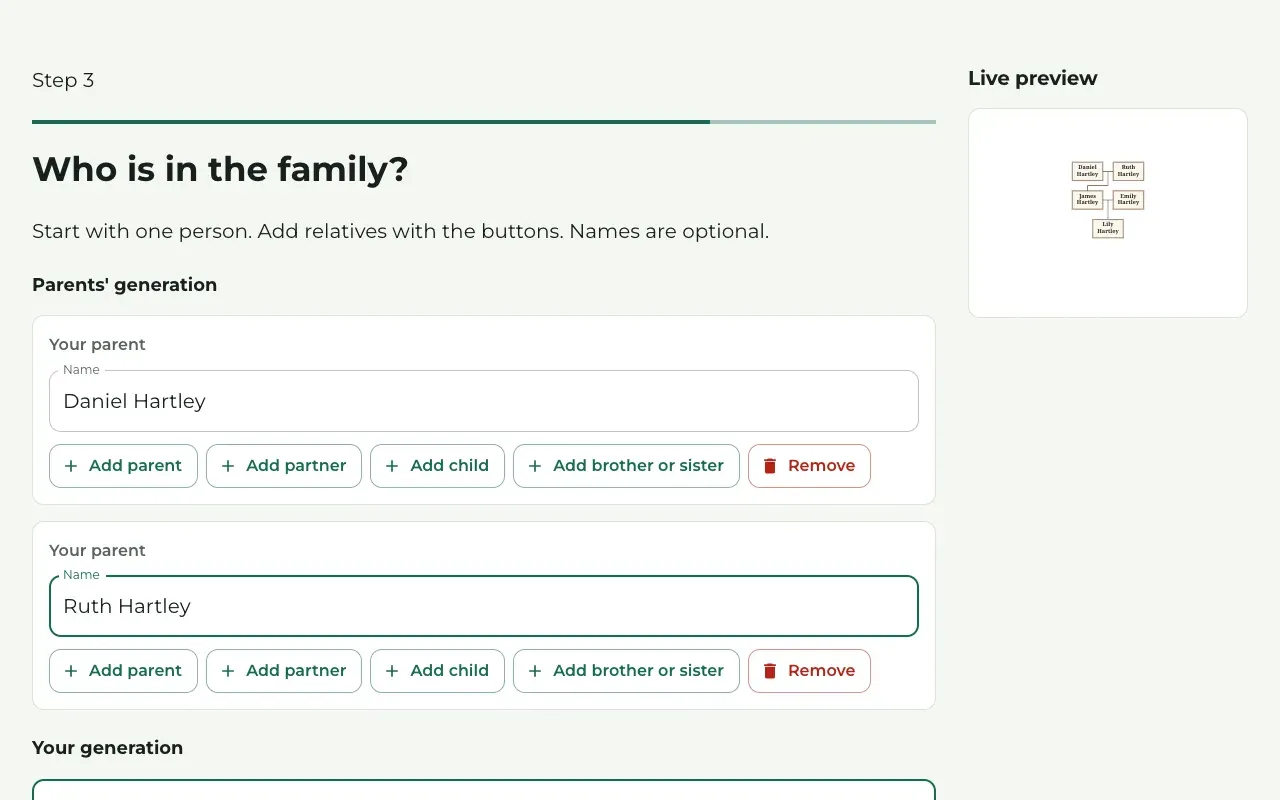
For your family, choose Build your own tree on How many people?. On Who is in the family? you start with yourself and add relatives with Add parent, Add partner, Add child and Add brother or sister. Names are optional: a person without a name keeps an empty place on the design. The Live preview shows the tree as it grows.
On the style step, the pictures are examples: your own artwork is made fresh for your design.
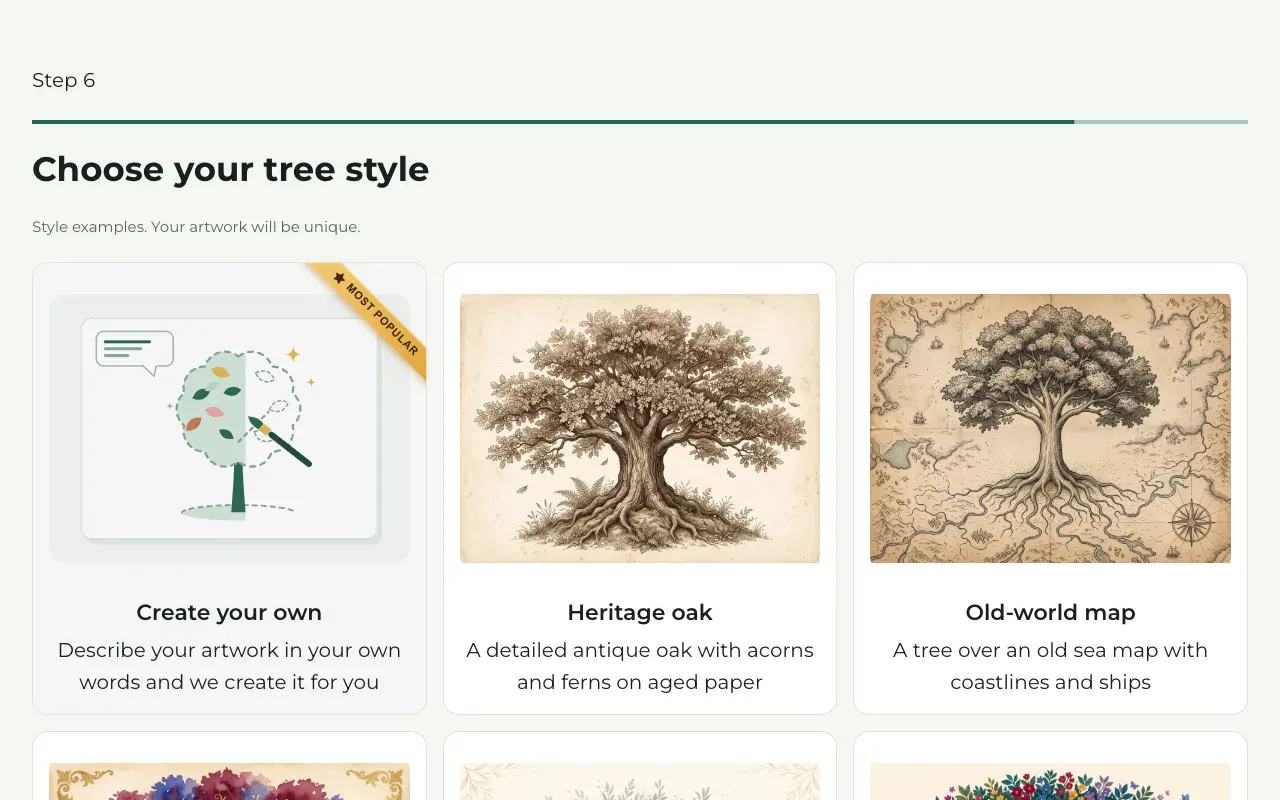
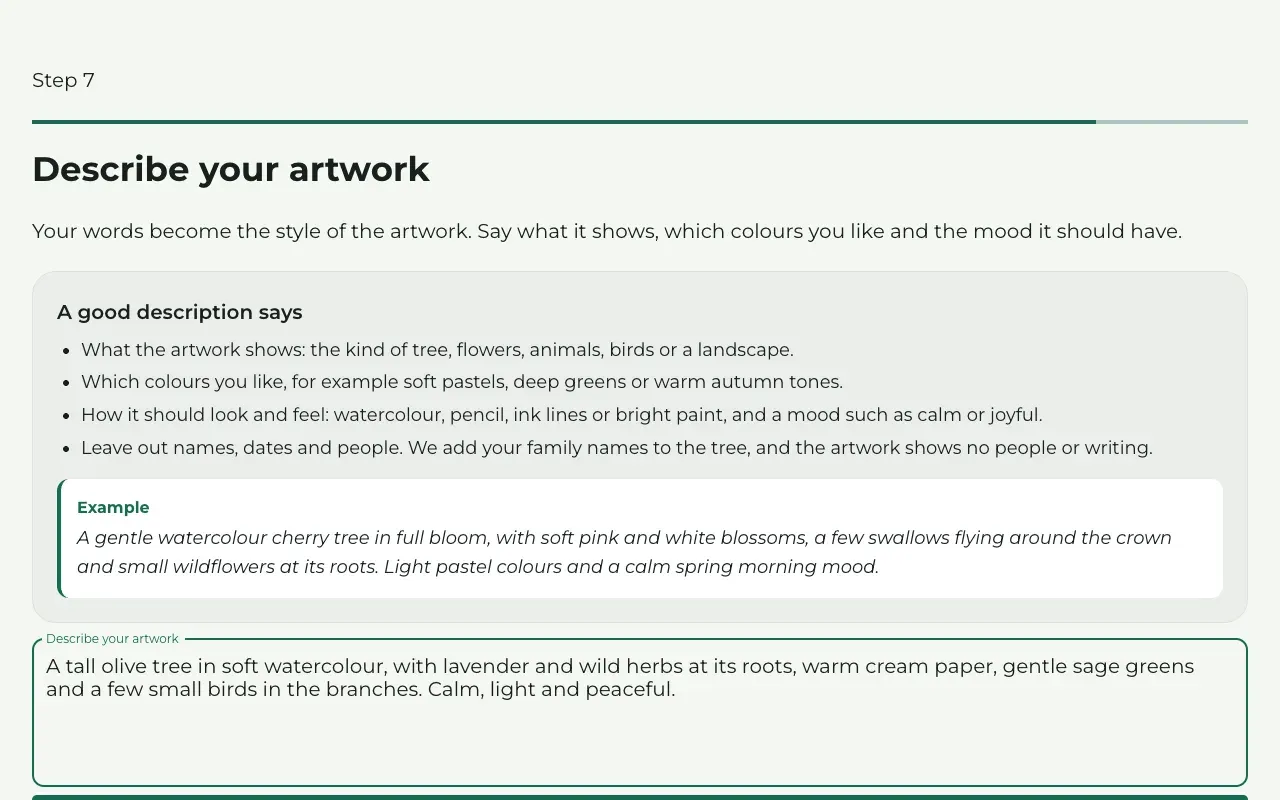
Create your own lets you describe the artwork in your own words instead. On Describe your artwork, say what it shows, which colours you like and the mood it should have, in at least 150 characters (about 25 words). Leave out names, dates and people: Treeshy adds your family’s names, and the artwork shows no people or writing.
Enter your email and the code
On See your free preview, type your email address and press Continue. Treeshy emails you a 6-digit code. Paste it in 6-digit code and press See my free preview.
The code works for 24 hours. No email after a few minutes? Look in your spam folder, or press Resend code.
Keep that email: its Continue my family tree button brings you back to your form and preview later, on any device.
The code also creates your Treeshy account. A second email, Your Treeshy family tree is on its way, has a Choose a password button, so you can sign in later. See Your account.
Look at your free preview
Treeshy shows Preparing your family tree… while it works. Then your design appears under Your family tree, with a PREVIEW TREESHY.COM watermark across it. The arrows beside the room picture show your design on a wall, and your family in the other ready-made styles.
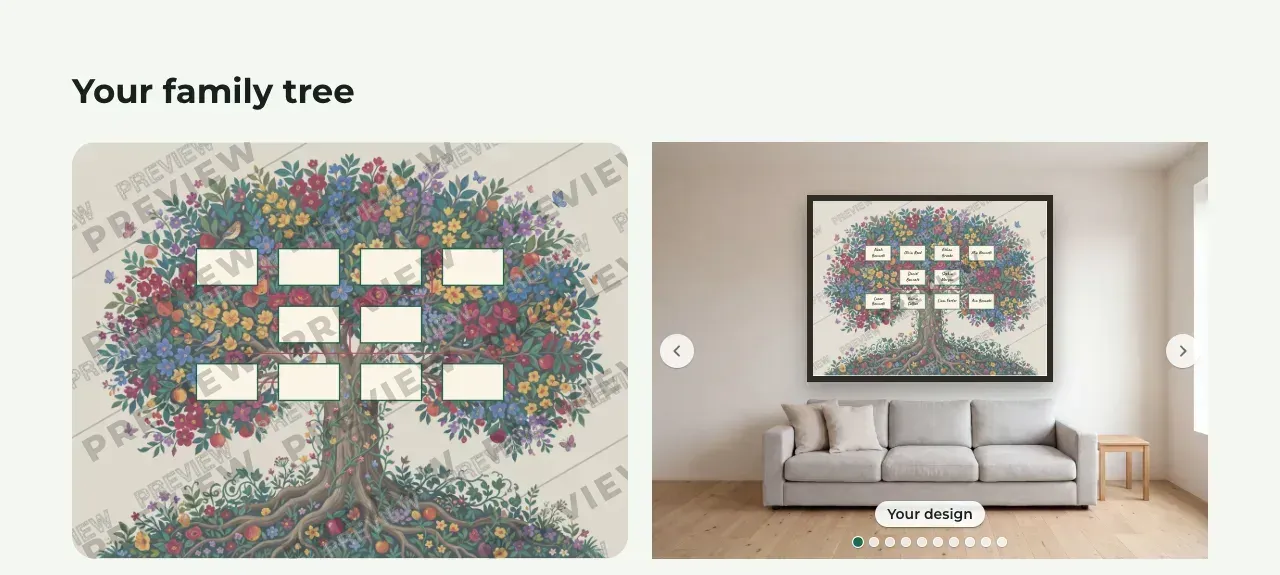
Each email address gets one free preview. If you fill in the form again with the same address, Treeshy offers Open my free preview instead of a new one.
Fix names and relatives for free
Where to find it: Your preview → Edit names and relatives
Under the preview, Treeshy asks: Names missing or wrong? Change them for free before you buy. Press Edit names and relatives.
The window Your family on the design shows your family as in the form. Type the names, add or remove relatives, and press Save changes. Your design keeps its artwork and updates for free.
Do this before you buy the file: the file is the design exactly as you see it.
Change the look and the settings later
Where to find it: Your preview → Edit in the studio, or Account → My projects → Open
On a computer, press Edit in the studio under the preview. The studio is Treeshy’s editor, and it opens this design. You do not need a plan to change it or to save it; the download, photos and new AI artwork need one.
In the studio you can:
- change names and dates, and add or remove relatives: People and photos;
- switch to another look under Settings → Template Style, from the pre-built templates. Your people, names, dates and photos stay;
- change the layout and the direction of the tree: Layout;
- change the cards, fonts and colours: Colors, fonts and frames;
- add or change the title: Text and titles.
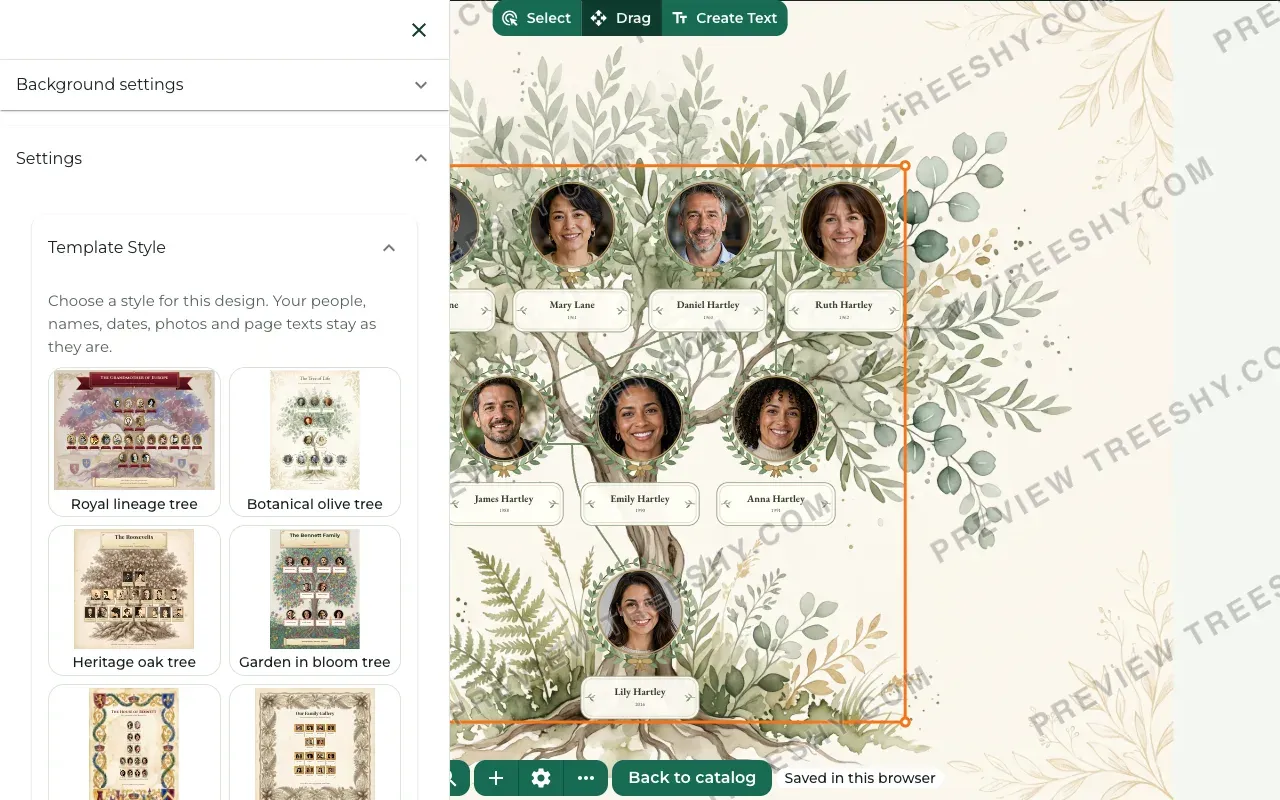
The studio saves your changes as you work. New artwork made with AI uses the AI credits that come with a plan.
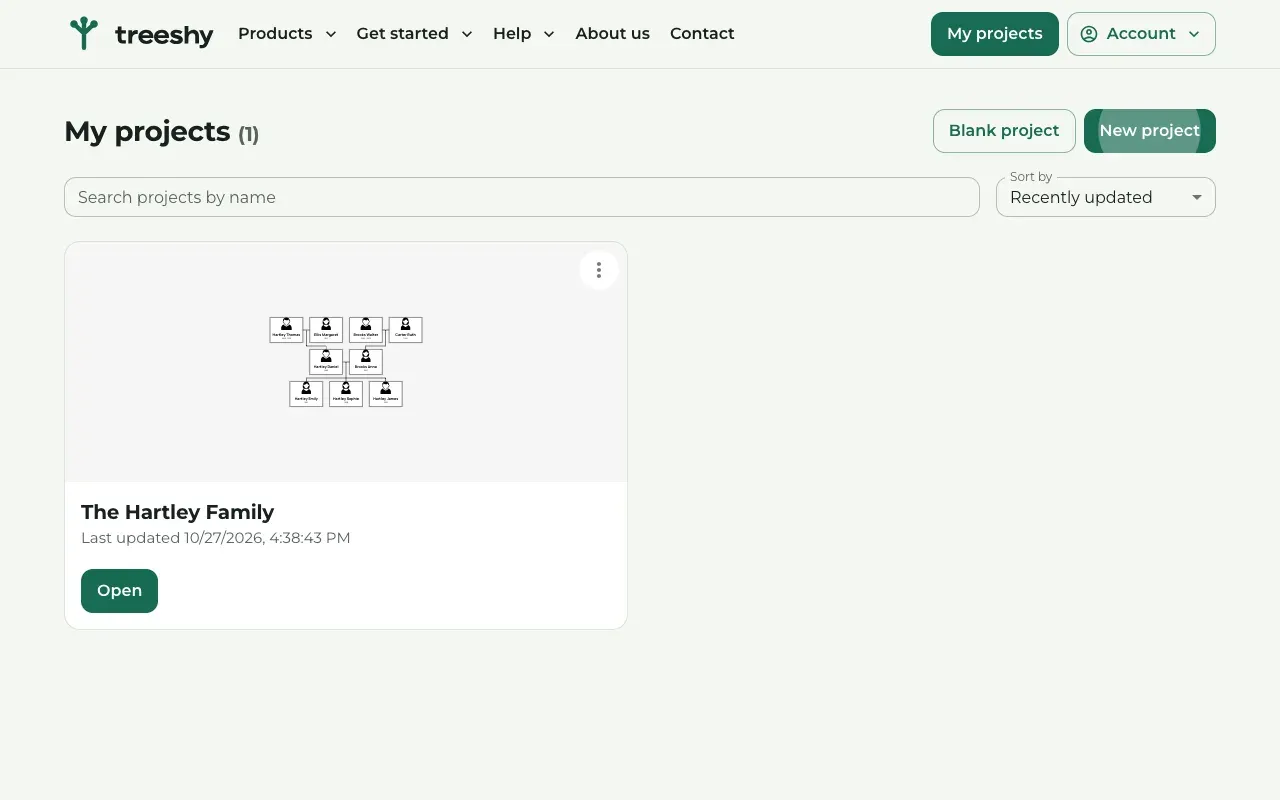
Later, sign in and press My projects at the top right: your design is there. Press Open to change it again.
Come back and order when you are ready
You do not have to decide on the day. Come back in either of these ways:
- open the email with your code and press Continue my family tree. If Treeshy asks for a code again, press Resend code;
- sign in, open My projects and press Open on your design.
An unpaid preview stays for 3 months. After that it is removed, and you fill in the form again for a new one.
Choose how to order
Your preview page lists the choices. Prices are on For individuals.
- Just download your design: press Buy & download, then Choose your print size. Treeshy offers only the sizes your design prints sharp at, in US and international sizes. Press Continue to payment. You pay once and get a print-ready PDF of the design as you see it, without the watermark. You cannot change it afterwards.
- A subscription: press Get full access. Your design unlocks, and you can change it and download it again at any time, make more designs with your AI credits, and keep up to 10 projects.
- A printed poster: when Digital + Printed, Framed shows above the choices, choose it to order your design as a poster, framed if you like. Your PDF is included.
Payments go through Stripe. Have a promo code? Type it on the payment page. Not sure which choice fits? Press Book a free video call under the choices.
After payment, Treeshy shows Your family tree is ready! Press Download my family tree. Treeshy also emails you the download link. With a subscription, press Open My projects to keep editing.
Without a plan, Download in the studio opens the plans. To buy just the file, go back to your preview with the link from your email. Plans and payments compares the choices, and Download and print your design explains printing.
Still stuck? Look for your question in the FAQ, browseall guides, or write to us.