
Plans and payments
The one-time design file and the subscriptions side by side, and how to pay, use AI credits, manage billing and cancel.
You can make and preview a family tree for free. You pay only when you want a print-ready file, or when you want to keep editing your trees. Current prices are on the pages For individuals and For professionals.
The choices
- Just download your design: a one-time purchase of a print-ready PDF of a design Treeshy made for you with the form, without the watermark, at the print size you choose. You pay once. You cannot change the design, the names or the photos afterwards, and it includes no storage and no AI credits.
- Individual subscription: for your own family. Change the template, names and photos at any time, keep up to 10 projects with online storage, get AI credits every month, import GEDCOM files, and make up to 5 print-ready exports per project.
- Professional subscription: the same, with no project limit, more storage and more AI credits, for people who make family trees for others.
Subscriptions are paid monthly.
Bought a design on Etsy? Your order works like a month of the Individual plan. See Bought on Etsy? below.
Where to choose
- After Treeshy designs your tree, the preview page offers all the choices.
- On For individuals and For professionals.
- Signed in without a plan, on the Treeshy subscription page that opens after you sign in.
Paying
Payments go through Stripe, a secure payment page. Treeshy never sees your card number.
When you buy a one-time file, the payment page asks you to agree that your download starts at once.
Have a promo code? Type it on the payment page.
After payment you come back to Treeshy, where you can download your file or open your projects.
AI credits
Treeshy uses AI credits when it designs a tree or artwork for you. Each paid month or year of a subscription adds credits to your balance. Credits you do not use stay in your balance.
Your Profile shows your credits under AI credits. With an active plan, you can buy more there.
Manage billing or cancel
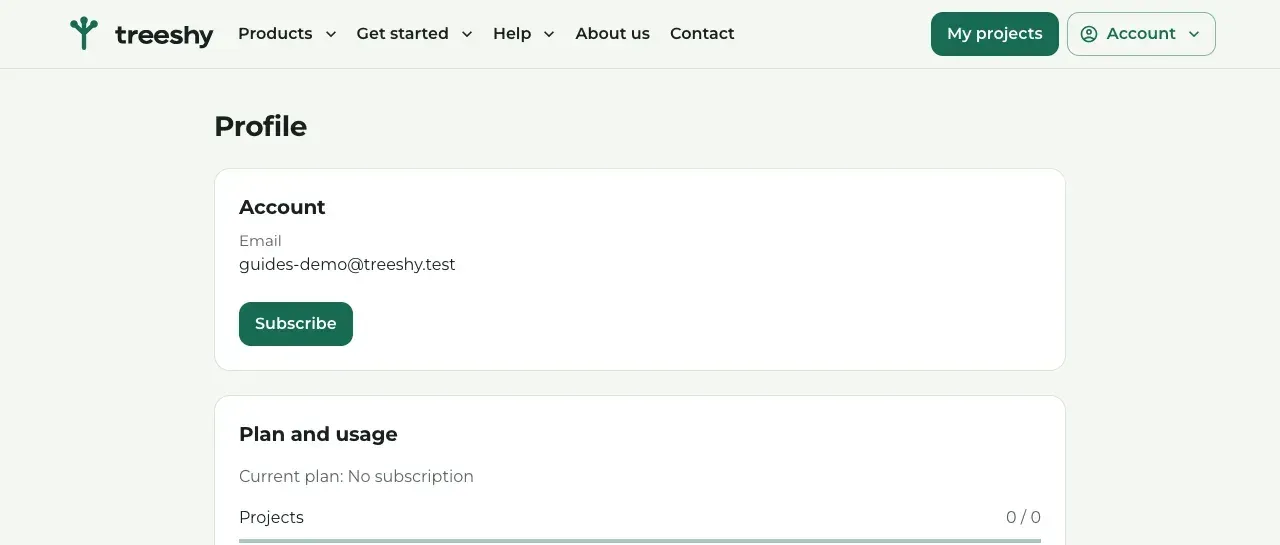
Where to find it: Account (top right) → Profile → Manage billing
Open your Profile and press Manage billing. Stripe’s billing page opens, where you manage your subscription and can cancel it.
When you cancel, your plan keeps working until the end of the period you paid for.
When a plan ends
Your projects stay in your account. To open them in the editor again, subscribe again from your Profile or from My projects.
Bought on Etsy?
Your Etsy order comes with a link. Open it, enter your email and the 6-digit code from our email, and the page Your designs shows how many designs your order includes and how long the link is valid. Your order also gives you the Individual plan for that time.
Not ordered yet? Find the listing in our Etsy shop. Etsy Purchase Protection covers your order: if something goes wrong with an eligible order, you get a full refund.
Still stuck? Look for your question in the FAQ, browseall guides, or write to us.